We Built an Alternative to Vee’s Accessibility Subscription Inside WordPress
An accessibility toolbar built for a specific need, integrated into TigerKit and replacing reliance on an external widget. Here’s what the transition looks like, what still needs checking, and what can be said about a cost of about ₪490 per year.
On this page
WordPress ecommerce site · Software subscription replacement · Documentation status: October 20, 2026
Tools: WordPress, TigerKit, PHP, JavaScript, CSS, Claude
Published . Source evidence reviewed .
Project at a glance
- Original service
- Vee accessibility toolbar
- Previous subscription cost
- About ₪490 per yearOwner estimate; the currency was assumed to be Israeli shekels. The invoice and VAT status have not been checked.
- Alternative
- A local toolbar inside TigerKit
- AI tool used in development
- ClaudeAppears in the code contribution records; no separate measurement of hours or cost.
- Build time
- Not fully documented
- New ongoing cost
- Not yet calculatedCore functions do not require an external service to run; maintenance and infrastructure still consume resources.
- Net annual savings
- Not yet verified
- Transition status
- Alternative built and integratedThe end of Vee billing and the period of use afterward were not verified in this review.
1. The service we wanted to replace
The WordPress site used Vee’s paid accessibility toolbar. For visitors, it was a simple starting point: open a floating button, choose an adjustment such as larger text or higher contrast, and continue reading. For the site owner, it was a defined capability purchased through a subscription and added to the site as an external component.
We wanted to keep the adjustment options visitors use: text size, spacing, link highlighting, colors, and reduced motion. The alternative was first built as a plugin called Tiger A11y and later integrated into TigerKit. This story focuses on the toolbar and its operation on the site. Page accessibility testing, content fixes, and the provider’s other services remain areas of work that need to be assessed separately.
2. How much the subscription cost
The starting point was the owner’s estimate: about 490 per year for the Vee subscription. For this calculation, we assumed the amount was in shekels. This is a useful figure for considering whether the switch makes sense, but it was not taken from an invoice. The billing plan, VAT, discounts, and renewal date have not been checked, so we have not multiplied it by the number of sites either.
The subscription paid for a ready-made component maintained by the provider. Replacing it in-house transfers that responsibility to the site owner or whoever maintains the plugin for them. Before counting the full amount as savings, we need to know which other services were included in the purchased package and whether we will still need to pay for them separately. Removing the component from the site and ending the subscription are two different actions.
| Item | Comparison basis | What is known |
|---|---|---|
| Vee subscription | About ₪490 per year | Owner estimate from October 20, 2026 |
| Additional features and related services | Not calculated | Plan details have not been checked |
| Billing actually avoided | Not yet verified | No cancellation or avoided-charge confirmation is available here |
3. Why build our own component
The opportunity was to replace a small, clearly defined service within an existing site. There was no need to build a new content system or move the site to another platform. WordPress already loads plugins and stylesheets, so the toolbar could be added to the same infrastructure and its behavior controlled.
The replacement goal was practical: visitors should be able to find the adjustments they need, their choices should persist when moving between pages, and the site administrator should be able to set the button’s position and the link to the accessibility statement. In addition, the core functions should work without loading Vee’s widget. If maintaining these capabilities requires too much maintenance, the subscription savings alone would not justify owning the code.
4. What the alternative needs to do
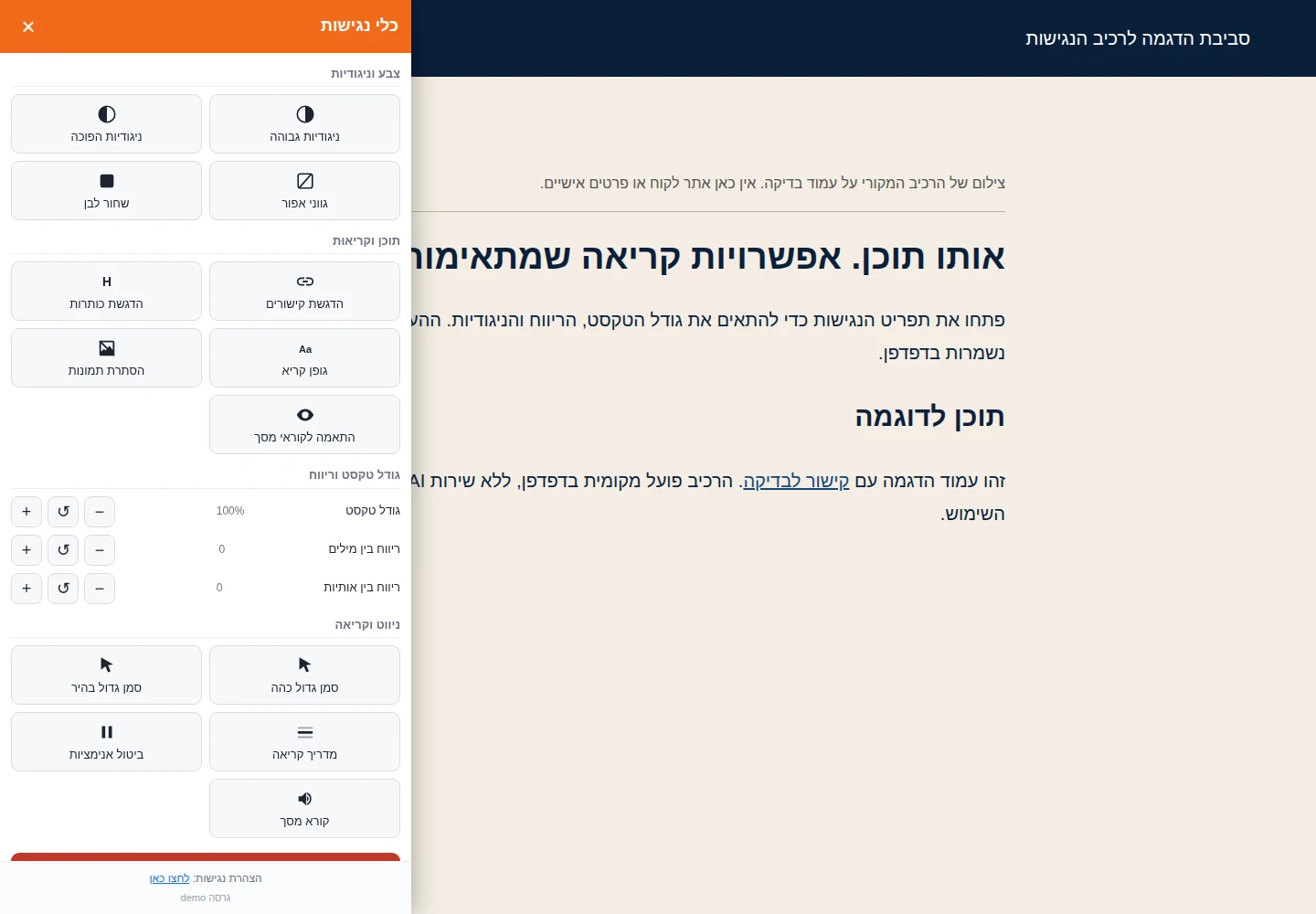
The requirements were based on actions that can be seen and tested in a browser. Three separate buttons control text size, spacing between words, and spacing between letters. The other options include highlighting links and headings, a readable font, hiding images, an enlarged cursor, and a reading guide. A reset button restores the initial settings.
An adjustment applies to the toolbar panel itself as well. If larger text works in the content but leaves the control buttons small, the experience is inconsistent. Choices are saved in the browser, so visitors do not have to set them again on every page.
| Need | Documented implementation | Testing limitation |
|---|---|---|
| Reading adjustments | Text, spacing, highlighting, and colors | Also test with real content and on a small screen |
| Saved preferences | Saved locally in the browser | No syncing between devices |
| Motion control | Stops animations | Needs testing with site components |
| Read aloud | Browser’s built-in speech capability | Hebrew support depends on the browser |
| Component management | Set the color, side, and statement link | The site administrator is responsible for the statement’s content |
5. Tools and AI assistance
The component uses standard WordPress capabilities: PHP connects it to the site and settings screen, JavaScript manages actions and saved preferences, and CSS changes the display. The documented toolbar does not need AI model calls to enlarge text or change contrast. The read-aloud option also uses a browser capability.
Claude appears in the history of changes that integrate the toolbar into TigerKit as a contributor to writing the code. This supports describing the development as AI-assisted. The documentation does not separate how much of the specification, code, or testing was done with it, so there is no claim here that the component was built with one prompt or in a specific number of hours. Choosing the requirements and reviewing the result remained part of the project work.
| Tool | Role | When it is needed |
|---|---|---|
| WordPress and TigerKit | Load and manage the toolbar | When the site runs |
| PHP, JavaScript, and CSS | Settings, actions, and styling | During development and operation |
| Claude | Documented contribution to code changes | During development |
| Local browser storage | Save visitor preferences | During use |
6. How the alternative was built
The standalone version packaged the toolbar as a plugin that could be installed in WordPress. A demo environment with Hebrew content was prepared alongside it, making it possible to test the same stylesheets and behavior outside the site. Later, the component was added to the plugin package and administration screen in TigerKit, and finally enabled through the package itself.
The documentation makes a useful distinction between the toolbar and page fixes: button and link labels, interface component annotations, and contrast fixes were given separate mechanisms that can be turned off if they conflict with the design. This makes it possible to test a focused change without tying it to all the options. A color change, for example, may improve readability while also affecting the brand’s colors, so it needs visual review.
The transition includes enabling the new component and removing the old one’s loader so that two toolbars do not run at the same time. The order of changes is documented, but there is no complete record of development hours, attempts, or fixes. There is no basis for treating the number of code changes as a measure of effort.
7. How to use the toolbar
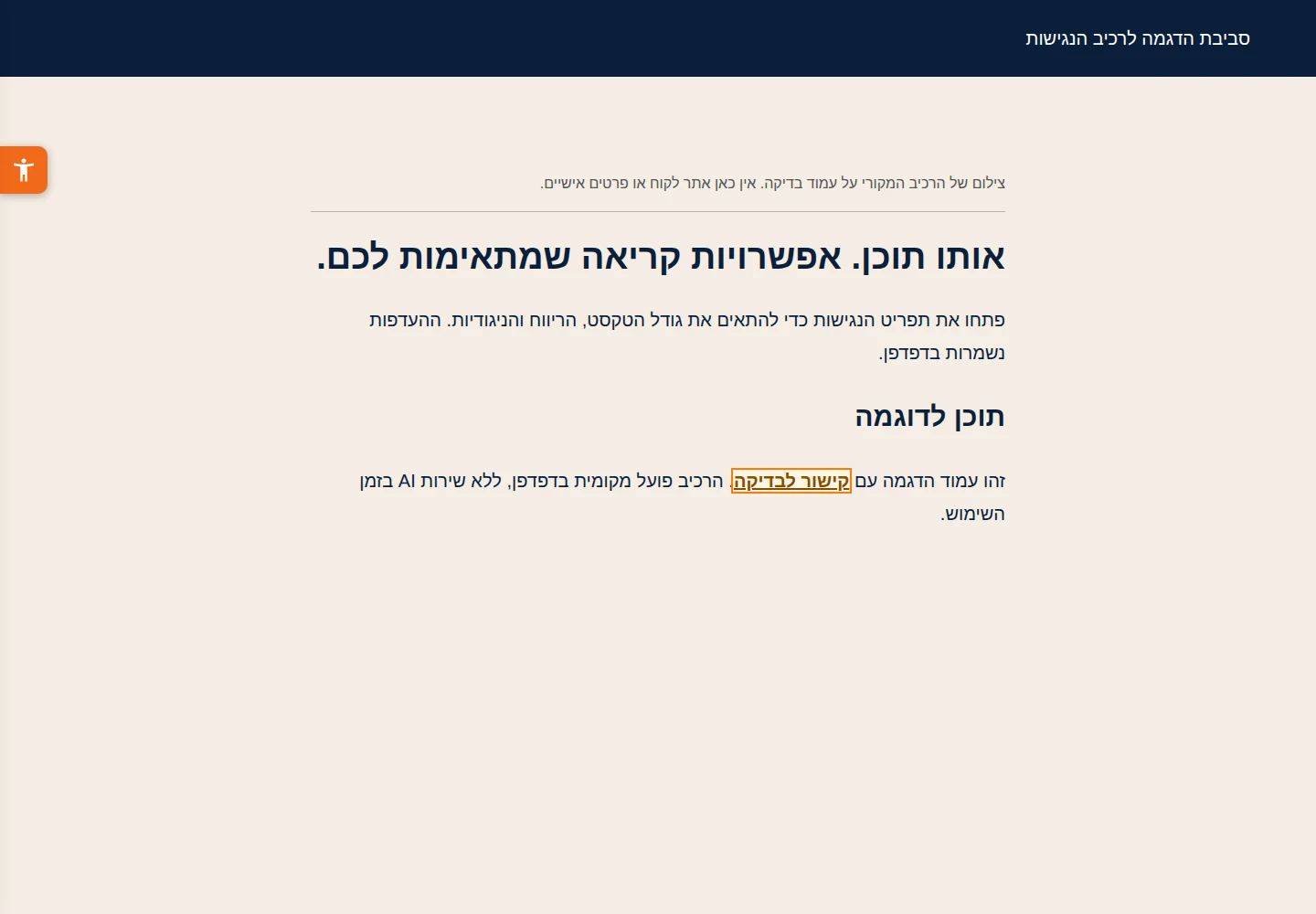
Visitors open the accessibility button at the side of the page and choose options such as larger text and highlighted links. The change applies to the page and the panel. When they move to another page, the toolbar reads the preferences saved in the browser and applies them again. Anyone who wants to start over can click Reset.
The site administrator sets the button’s position and color, and the link to the accessibility statement, in WordPress. If an automatic fix conflicts with another component, it can be turned off while the underlying issue is addressed. The result of read-aloud in Hebrew also depends on the browser’s available voices and support; identical behavior on every device is not guaranteed.
8. What is known and what needs to be checked on the site
Project documentation shows a built component integrated into TigerKit. It also defines a clear post-installation check: open the panel, enable adjustments, move to another page, and check that the selection was saved. In the network panel, verify that the previous component is no longer loading. These checks cover the behavior the replacement is intended to provide.
For this story, we reviewed the sources and project files, but did not run a new check on the client site. We therefore do not present a checklist as if it were a test result. Even when the toolbar passes its own checks, keyboard navigation, focus order, forms, and dynamic content need to be tested separately. A whole site cannot be evaluated through the accessibility button alone.
| Check | What it should prove | Status in this story |
|---|---|---|
| Adjustments and saving them | The component’s core capability | Documented in the implementation; not rechecked on the site here |
| Removing the old component | The site no longer depends on the previous script | Needs current confirmation after the transition |
| Stopping billing | The subscription has stopped costing money | Not verified |
| Accessibility across all pages | Site usability beyond the toolbar | Outside the evidence for this replacement |
9. How to calculate the savings
The amount of about ₪490 is the potential annual expense that could be avoided once the subscription ends. It is not yet net savings. To calculate net savings, additional infrastructure and maintenance costs need to be deducted. In the first year, development, testing, and migration costs are also included.
The existing site may be able to run the toolbar without increasing its hosting bill, but this was not measured here. Even in that case, fixing issues after a theme update takes time. Payment savings and savings after assigning a cost to labor can be shown separately; there is not enough data for either calculation right now. No payback period has been calculated, and no hours are claimed as saved.
| Calculation item | Amount or status |
|---|---|
| Annual subscription that could be avoided | About ₪490, owner estimate |
| Additional operating and maintenance cost | Not measured |
| One-time setup cost | Not fully documented |
| Net savings and first-year benefit | Cannot yet be calculated with verification |
10. When a replacement like this makes sense
The lesson from building this is that a narrowly defined capability can be taken, its behavior specified, and it can be integrated into existing infrastructure. Control over the code makes it possible to adapt the toolbar to the site, but requires someone to check it after WordPress, theme, and plugin updates. A local fix that does not survive an update is not a lasting saving.
A replacement like this is worth considering when there is a clearly defined need, the capacity to maintain it, and a simple way to check that its core functions work. If most of the subscription’s value comes from a service, audit, or professional responsibility for which the team has no alternative, those should also be included in the comparison. The next decision in this case is financial and operational: verify that billing has stopped and gather a period of usage data to learn what it actually costs to maintain the component.
About this publication
This documents a solution for in-house use. The subscription price is based on the owner’s estimate and was provided for this story; it has not been verified against an invoice. The interface screenshots show the original software in a demo environment, without client details or personal financial data.
Built by Tiger Media. Estimated subscription charges, actual avoided expenditure and development or maintenance costs are treated separately.